


Touchless invoice processing is the goal for many finance teams, but in practice, most AP processes still depend on manual checks, email approvals, and ERP handoffs that slow everything down.
A working touchless setup is not about removing people from the process entirely. It is about removing unnecessary manual work, automating predictable decisions, and routing only exceptions to the right person at the right time.
What is touchless invoice processing workflow?
A touchless invoice workflow is one where standard invoices move from receipt to posting with little or no manual intervention. The system captures the data, validates it, applies workflow rules, triggers approvals when needed, and passes the result into the ERP system.
For finance teams, that usually includes:
- automatic invoice capture from email or upload
- OCR and AI-based data extraction
- supplier and document validation
- matching against purchase orders or other source data
- automated approval routing
- ERP posting or export
- exception handling with full audit visibility
The goal is not perfection on day one. The goal is to reduce the share of invoices that need human handling and make the remaining exceptions easier to resolve.
Why most AP teams are not truly touchless yet
Many companies already digitized part of AP, but the workflow still breaks in the middle. Data may be extracted automatically, yet approvals happen by email. Or invoices may be approved quickly, but someone still retypes data into the ERP.
The most common blockers are:
- inconsistent invoice formats across suppliers
- missing approval rules
- manual exception handling
- weak integration between AP workflow and ERP
- unclear ownership when invoices fail validation
- limited visibility into where invoices are stuck
If you ask ‘Is touchless invoice processing the same as OCR?‘ the answer is no.
OCR is one part of the process. Touchless invoice processing also requires workflow automation, business rules, approvals, exception handling, and ERP integration.
The core steps in a touchless invoice workflow
1. Standardize invoice intake
Start by defining how invoices enter the process. If invoices arrive through too many channels, the workflow becomes harder to control.
A clean setup usually includes:
- dedicated AP email inboxes
- controlled upload points
- clear document ownership
- rules for accepted formats
This gives the workflow a stable starting point and makes automation more reliable.
2. Automate data capture
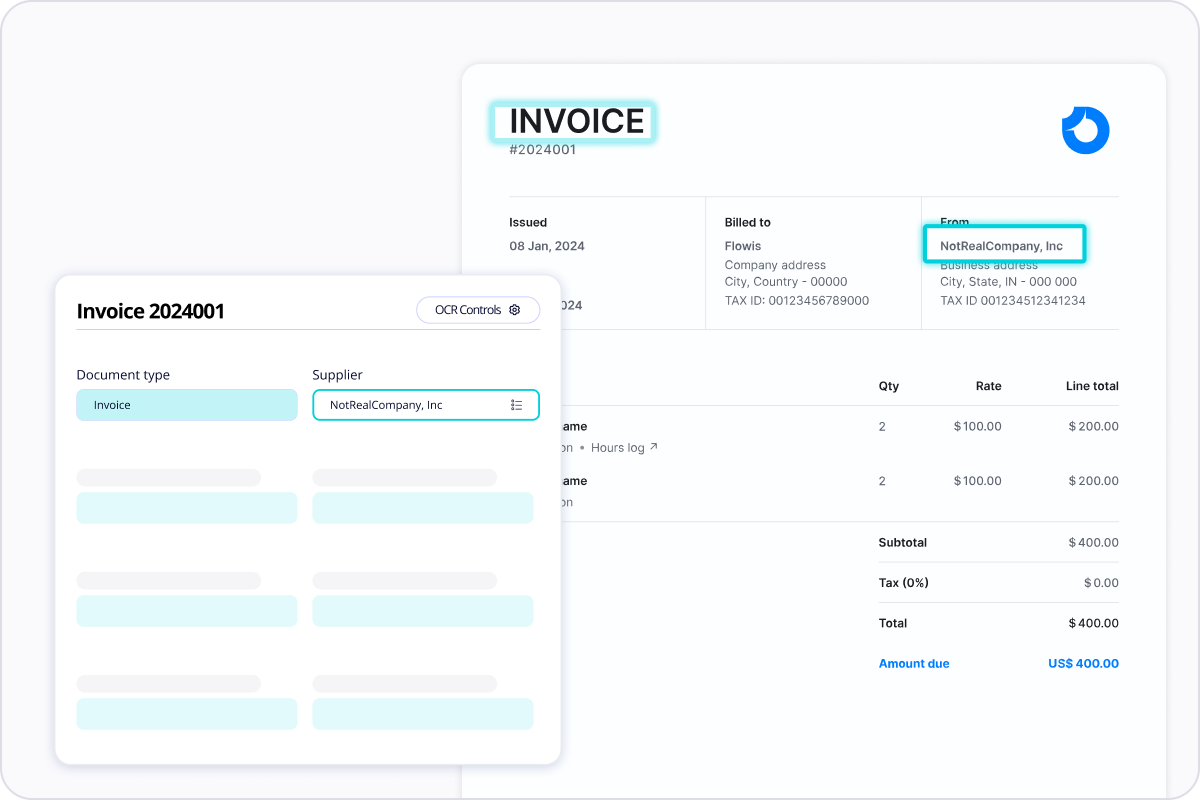
The next step is extracting invoice data without manual entry. OCR helps read the document, while AI improves recognition across layouts, languages, and varying invoice structures.
At this stage, the system should capture:
- supplier name
- invoice number
- invoice date
- due date
- currency
- VAT or tax values
- total amount
- line-item or reference details where relevant
The faster finance teams stop rekeying invoice data, the faster they free up AP capacity for higher-value work.
3. Validate before routing
Touchless workflows work only when invoices are checked before they move forward. Validation rules reduce rework and prevent bad data from reaching the ERP.
Typical checks include:
- duplicate invoice detection
- supplier verification
- mandatory field completeness
- tax logic checks
- PO reference checks
- amount tolerances
This is also the point where many invoices can be automatically categorized as ready to proceed or flagged for review.
4. Route invoices automatically
Approval routing is where many AP teams still lose time. A touchless process needs predefined rules so invoices move based on business logic, not manual chasing.
Good approval logic often includes:
- amount-based routing
- department-based routing
- cost-center routing
- entity-specific approval paths
- automatic reminders and escalations
For standard low-risk invoices, the process may require only minimal review. For exceptions or high-value invoices, the workflow should add the right controls without slowing down the entire queue.
5. Connect the workflow to the ERP
This step is critical. If the invoice still has to be manually re-entered into the accounting or ERP system, the process is not touchless.
ERP integration helps finance teams:
- sync supplier and master data
- push booked invoices into the ERP
- reduce posting delays
- keep financial records aligned across systems
This is where a workflow platform becomes much more than a document capture tool. It becomes part of the finance operations infrastructure.
6. Handle exceptions separately
Not every invoice should be touchless. The right model is to automate the routine and isolate the exceptions.
Exception workflows should cover:
- missing PO data
- mismatched amounts
- blocked supplier records
- incomplete tax fields
- duplicate alerts
- missing approvals
Instead of slowing down all invoices, the system should route only the problematic ones for manual review. That keeps the standard flow fast and controlled.
Where AI and OCR improve invoice handling
OCR is the foundation for reading invoice data, but AI helps make the process more resilient. In real AP environments, invoices are rarely fully standardized. Layouts vary, suppliers change formats, and some documents include partial or inconsistent information.
AI improves the workflow by helping:
- extract data from different invoice layouts
- recognize fields with better context
- reduce manual correction effort
- support document classification
- improve automation accuracy over time
In practice, finance teams benefit most when AI and OCR are embedded into a broader workflow that also includes approval logic, validation rules, and ERP integration.
How ERP integration keeps the process reliable
A touchless AP workflow depends on connected systems. Without ERP integration, finance teams often end up with duplicate work, broken audit trails, and avoidable delays between approval and posting.
A reliable integration supports:
- data consistency across finance systems
- faster posting after approval
- easier reconciliation
- better reporting visibility
- fewer manual handoffs between AP and accounting
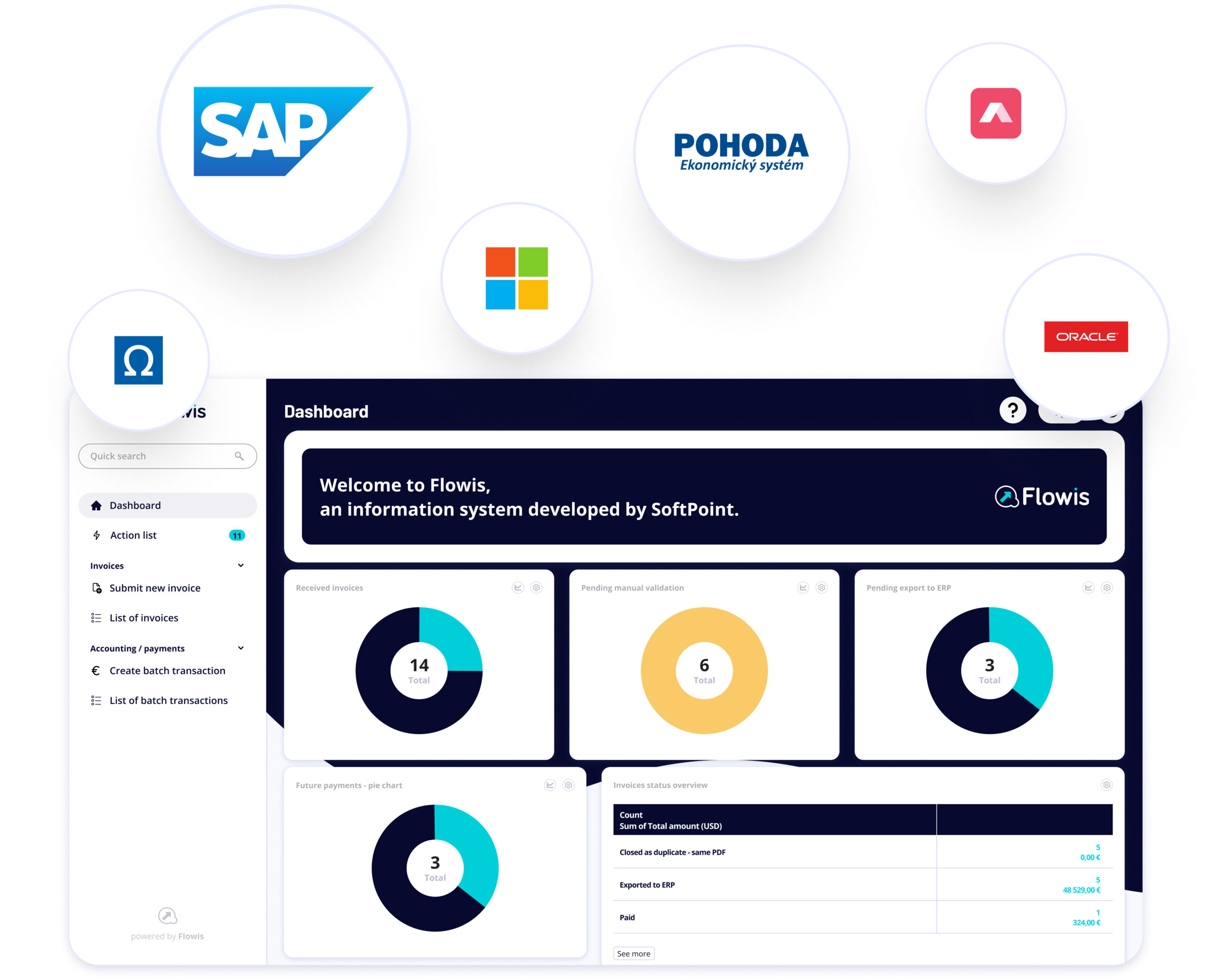
Flowis positions ERP integration as a core part of process automation, with pre-built, file-based, and process-level integration strategies depending on the business setup. That matters because touchless processing is only sustainable when workflow automation and accounting data move together.
Common mistakes that prevent touchless AP
Many automation projects stall because the process design is too narrow. Common mistakes include:
- focusing only on OCR and ignoring downstream workflow
- keeping approval logic informal
- automating exceptions before standard invoices
- skipping ERP integration until later
- failing to define ownership for blocked invoices
- treating automation as a one-time setup instead of an evolving process
The better approach is to start with the most common invoice scenarios, automate those well, and then expand coverage over time.
Conclusion
Touchless invoice processing is not a single feature. It is a workflow design choice. When invoice capture, validation, approvals, exception handling, and ERP integration work together, AP teams can reduce manual effort, improve control, and process invoices with far less friction.
For growing companies, the biggest gains usually come from standardizing the flow first, automating routine decisions second, and connecting the process tightly to the ERP.